
Professional Minutes of Meeting Format: A Complete Guide for High-Performing Teams
I. Introduction
In today’s business world, especially for mid-sized companies with 40–70 employees, time is money. Every meeting must count. If you are a Director, VP, President, or part of the C-suite, you already know how critical it is to keep meetings focused, actionable, and aligned with your company’s goals.
But here’s the thing: even the most well-intentioned meetings can fall flat without proper follow-up. That’s where professional meeting minutes come in. They’re not just a formality—they’re a powerful tool that captures decisions, assigns tasks, and ensures accountability.
Want to transform your meetings into goal-driven sessions? Start by using our free meeting templates to get the structure right from the beginning: https://meetingforgoals.com/meeting_templates
In this guide, we’ll walk you through everything you need to know about professional minutes of meeting formats. From understanding what they are, to using the right structure, to avoiding common mistakes—this article is your complete playbook. We’ll also show you how Meeting For Goals can help streamline the entire process.
By the end, you’ll be ready to create meeting minutes that not only document conversations but drive real results.
2 Minute Video
Watch a 2 minute demo of our meeting management software in action
II. What are Meeting Minutes?
Meeting minutes are the official written record of what happened during a meeting. But they’re much more than just notes. Done right, they become a strategic tool for leadership teams.
A. Definition and Purpose
Meeting minutes serve three key purposes:
- Documentation: They record what was discussed and decided.
- Accountability: They assign tasks and deadlines to specific team members.
- Communication: They inform stakeholders—including those who couldn’t attend—about outcomes and next steps.
For executives juggling multiple priorities, minutes provide clarity and continuity across meetings. They help ensure that nothing slips through the cracks.
B. Key Components of Effective Meeting Minutes
To be effective, your meeting minutes need to include a few essential elements:
- 1. Date and Time:
Always record when the meeting took place. It helps with tracking progress over time and referencing past discussions. - 2. Attendees and Absentees:
List everyone who was present and note who was absent. This creates transparency and helps identify who needs follow-up communication. - 3. Agenda Items Discussed:
Stick to the agenda. Record each item discussed and summarize the key points and outcomes. - 4. Decisions and Action Items:
This is the most important part. Clearly outline what was decided, who is responsible for what, and when tasks are due.
Example:
- Decision: Move forward with Q3 hiring plan
- Action Item: Sarah (HR Director) to finalize job descriptions by May 15
Using a tool like Meeting For Goals makes this process seamless. It prompts you to capture these details in real-time and automatically organizes them for easy follow-up.
Adding an Agenda
How to add an agenda instantly on Meeting For Goals
III. Professional Format for Minutes of Meeting
A professional format isn’t about making your minutes look pretty—it’s about making them clear, consistent, and actionable.
A. Structured Layout for Documentation
Here’s a simple but powerful structure you can follow:
- 1. Header:
Include:- Title of the meeting
- Date and time
- Location or video conferencing link
This sets the context and helps organize your meeting records.
- 2. Participants and Roles:
List all attendees and their roles. This makes it easy to track who contributed to what. Example:- Alex Johnson – VP of Product
- Maria Chen – Director of Finance
- 3. Agenda Overview:
Briefly outline the items discussed. This keeps your minutes organized and easy to skim.
B. Detailed Notes Section
This is where the real value lies.
- 1. Discussion Summary:
Summarize key points from each agenda item. Don’t write everything word-for-word—just capture the essence. - 2. Decisions and Action Items:
Use bullet points to list out decisions and tasks. Be clear about who’s responsible and include deadlines. Example:- Decision: Approve Q2 marketing budget
- Action: Jamie to submit revised plan by next Tuesday
C. Signature Section for Accountability
This section adds a layer of formality and ensures that everyone agrees on what was documented. Include:
- Prepared by: Name and title of the person who took the minutes
- Reviewed by: Names and titles of key decision-makers
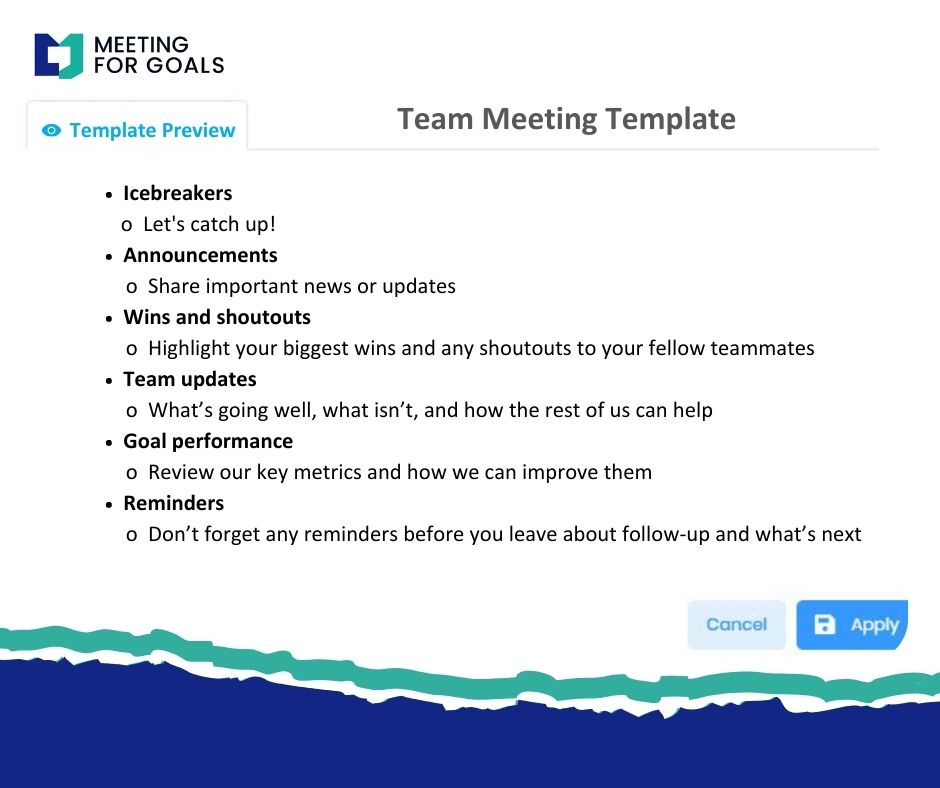
Meeting For Goals includes customizable templates that cover all these elements. You don’t have to start from scratch—just plug in your meeting details and go.
IV. Best Practices for Writing Minutes of Meeting
Having a good format is just the beginning. Writing clear, effective minutes takes skill—and a few best practices can make a big difference.
A. Tips for Effective Note-Taking
1. Prepare Ahead:
Know the agenda and the participants. This helps you anticipate key discussion points.
2. Use a Template:
Consistency matters. Using a standard template ensures nothing is forgotten and makes your minutes easier to read.
3. Listen for Key Points:
Focus on capturing decisions, action items, and important discussions—not every single word.
B. Keep It Clear and Concise
Avoid jargon and long-winded sentences. Use bullet points, bold text, and subheadings to make your minutes easy to scan. Example:
- Action: John to finalize vendor list by Friday
- Deadline: May 12
C. Leverage Technology
Why do it all manually? Tools like Meeting For Goals simplify the entire process:
- Real-time note-taking
- Task assignments with deadlines
- Integration with calendars and project management tools
D. Distribute and Follow Up
1. Send Minutes Within 24 Hours:
Timely distribution ensures that tasks are fresh in everyone’s mind.
2. Share with All Stakeholders:
Even those who missed the meeting should receive a copy.
3. Track Action Items:
Use Meeting For Goals to assign tasks and monitor progress automatically. This ensures nothing gets forgotten.
V. Common Pitfalls to Avoid
Even experienced leaders can fall into some common traps when it comes to meeting documentation. Here’s what to watch out for:
A. Including Too Much Detail
Don’t try to write a transcript. Focus on summarizing key points and decisions. Overly long minutes are hard to read and easy to ignore.
B. Missing Action Items
If your minutes don’t include clear tasks, responsibilities, and deadlines, they’re not doing their job. Always answer these three questions:
- What needs to be done?
- Who is doing it?
- When is it due?
C. Delayed Distribution
Waiting days to send out minutes kills momentum. Make it a habit to send them within 24 hours. Tools like Meeting For Goals automate this process so nothing gets delayed.
D. Inconsistent Formatting
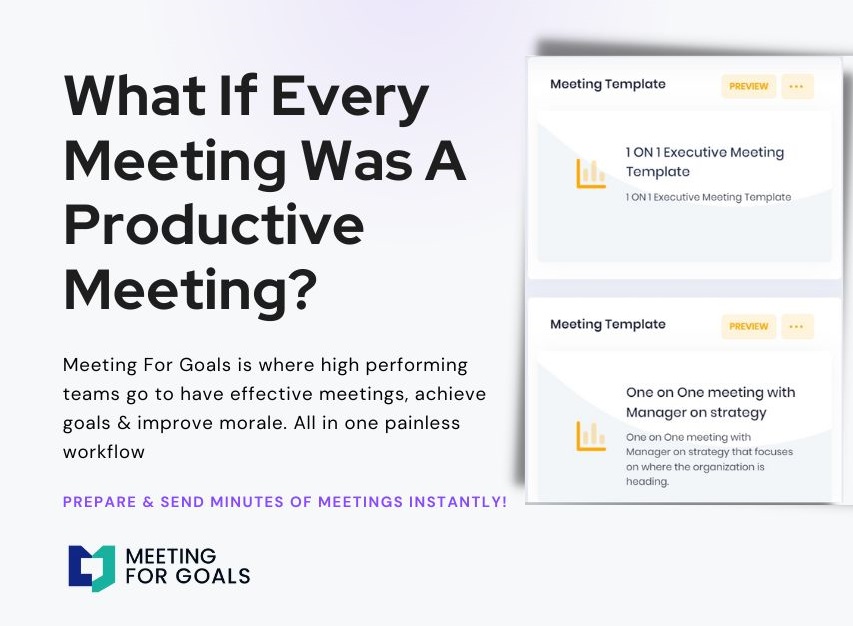
If your team sees a different format every week, they’ll stop paying attention. Stick to a consistent structure. Meeting For Goals offers pre-built templates that ensure uniformity across teams and departments.
E. Not Using the Minutes
Minutes shouldn’t just be filed away. They should be used to track progress, follow up on tasks, and prepare for the next meeting. Refer to them regularly to keep your team accountable.
VI. How to Use Meeting Minutes Strategically
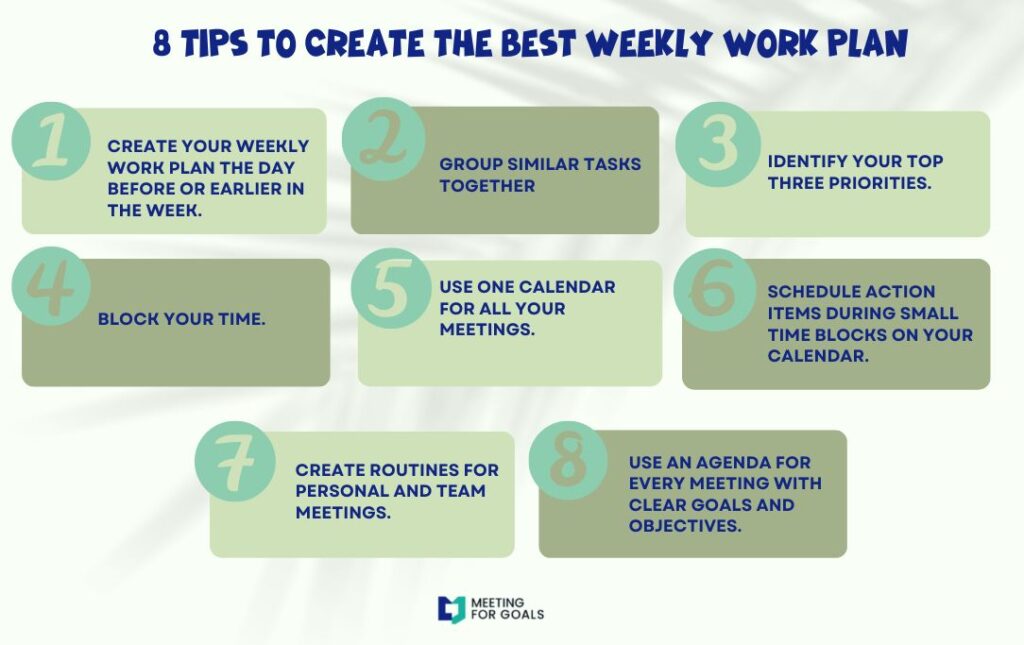
Meeting minutes aren’t just for record-keeping. They can actually become a strategic tool to drive execution and performance.
A. Use Them to Track Progress
Refer back to past meeting minutes to see how much progress has been made. Are action items being completed? Are goals being met?
B. Align Teams with Company Objectives
Minutes help connect day-to-day tasks with big-picture goals. They show how each meeting contributes to your broader strategy.
C. Improve Future Meetings
Reviewing past minutes can highlight patterns—like recurring issues or missed deadlines—that you can address in future meetings.
D. Enhance Team Accountability
When responsibilities are clearly documented, it’s easier to follow up and hold people accountable. This builds a culture of ownership.
Want to see how this works in action? Sign up for Meeting For Goals and start aligning your meetings with your company’s strategic goals: https://app.meetingforgoals.com/TenantRegistration/Register
VII. External Resources to Explore
For more insights on effective meeting management, check out these helpful resources:
- Harvard Business Review’s article on How to Run a Meeting offers timeless tips from management expert Peter Drucker.
- The American Management Association’s guide on Meeting Management Strategies covers techniques for improving team engagement and follow-through.
These resources, along with the tools provided by Meeting For Goals, can help you take your meeting culture to the next level.
VIII. Conclusion
Professional minutes of meeting formats aren’t just about checking a box. They’re about turning meetings into engines of execution. For executives managing growing teams, structured and strategic meeting minutes can be a game-changer.
They help you:
- Capture decisions clearly
- Assign tasks with deadlines
- Keep everyone aligned and accountable
Meeting For Goals is built to support this process. With intuitive templates, real-time collaboration, and automated task tracking, it transforms the way your team handles meetings.
If you’re ready to make your meetings more productive, start by using our free meeting templates: https://meetingforgoals.com/meeting_templates
Then, take the next step by signing up for Meeting For Goals: https://app.meetingforgoals.com/TenantRegistration/Register
Structured, goal-driven meetings are just a few clicks away. Visit https://meetingforgoals.com to learn more and schedule a demo today.