
How to Write Minutes of a Meeting Example: A Complete Guide for High-Performing Teams
Writing effective meeting minutes is more than just jotting down what was said. It’s about capturing the essence of a meeting to ensure alignment, accountability, and action. For high-performing teams and executives striving for operational excellence, mastering the art of meeting minutes is a game-changer. In this comprehensive guide, we’ll walk you through how to write minutes of a meeting with a practical example. This will ensure your team stays on track and your meetings deliver measurable results. Whether you’re a VP, Director, or C-suite leader, this article will help elevate your meeting culture and productivity.
If you’re looking to take your meeting documentation to the next level, sign up for Meeting For Goals and start streamlining your team’s performance: https://app.meetingforgoals.com/TenantRegistration/Register
Also, don’t forget to check out our free library of meeting templates to get a head start: https://meetingforgoals.com/meeting_templates
Meetings are the heartbeat of any successful organization. But without proper documentation, even the most strategic conversations can get lost in the shuffle. That’s why meeting minutes matter. At Meeting For Goals, we believe a meeting’s true value lies not just in the discussion—but in the follow-through.
In this guide, we’ll show you how to write meeting minutes with clarity and purpose. You’ll get a practical example, a customizable template, and expert tips to help you document meetings that actually drive results.
Whether you lead a team of 10 or an entire department, this guide is designed to help you boost productivity, improve communication, and keep everyone aligned.
Visit https://meetingforgoals.com to explore more tools to elevate your meetings.
2 Minute Video
Watch a 2 minute demo of our meeting management software in action
Section 1: Why Meeting Minutes Matter
Meeting minutes are more than a formality. They’re a strategic tool that captures decisions, tracks responsibilities, and provides a reference point for progress.
The Power of Documentation
In companies with 40–70 employees, where teams often work cross-functionally, clear documentation is essential. Meeting minutes serve as the single source of truth. They help prevent misunderstandings, eliminate confusion, and ensure that everyone is on the same page.
Let’s say your marketing VP and engineering director agree on a product launch date during a strategy meeting. If that agreement isn’t documented, it could lead to:
- Delays
- Misaligned expectations
- Missed goals
A simple, well-written set of minutes can prevent all of that.
Driving Accountability
One of the biggest benefits of meeting minutes is that they hold people accountable. When tasks are assigned and written down, there’s no room for “I didn’t know” or “I forgot.” Everyone knows who’s responsible and by when.
For example, if the VP of Operations assigns a team to reduce onboarding time by 20%, the minutes should clearly state:
- The goal
- The timeline
- The team members responsible
This makes future check-ins easier and more focused.
Supporting Future Meetings
Minutes also help guide future meetings. They provide context, reduce repetition, and make it easier to track progress. This is especially helpful for recurring meetings like weekly team check-ins or quarterly reviews.
Tools like Meeting For Goals make it easy to reference past minutes. Your team can build on previous discussions and keep moving forward without rehashing old topics.
For more on how to structure effective meetings, check out this Harvard Business Review article on running meetings that matter: https://hbr.org/2016/03/what-everyone-should-know-about-running-productive-meetings
Adding an Agenda
How to add an agenda instantly on Meeting For Goals
Section 2: What to Include in Meeting Minutes
Effective meeting minutes follow a consistent, easy-to-read format. Here’s what you should always include:
Title and Date
Start with a clear title that reflects the meeting’s purpose. Include the date and time. This helps you stay organized and makes it easier to retrieve past minutes.
Example:
- Meeting Title: Q2 Marketing Strategy Session
- Date: April 10, 2024
- Time: 10:00 AM – 11:30 AM
Attendees and Absentees
List everyone who attended, along with their roles or departments. Also, note who was absent—especially if their input was expected.
Example:
- Attendees: Sarah Johnson (VP of Marketing), Tom Lee (Director of Sales), Anna Patel (Product Manager)
- Absentees: None
Agenda Items
Use the meeting agenda as your structure. For each item, summarize the discussion, record decisions, and list action items.
Discussions, Decisions, and Action Items
This is the core of your minutes. For each topic:
- Summarize the key points.
- Clearly state any decisions made.
- List action items with deadlines and responsible individuals.
Example:
- Topic: Q2 Budget Review
- Discussion: Reviewed proposed budget of $150,000.
- Decision: Approved with a 10% contingency.
- Action Item: Sarah to update the budget sheet by April 12.
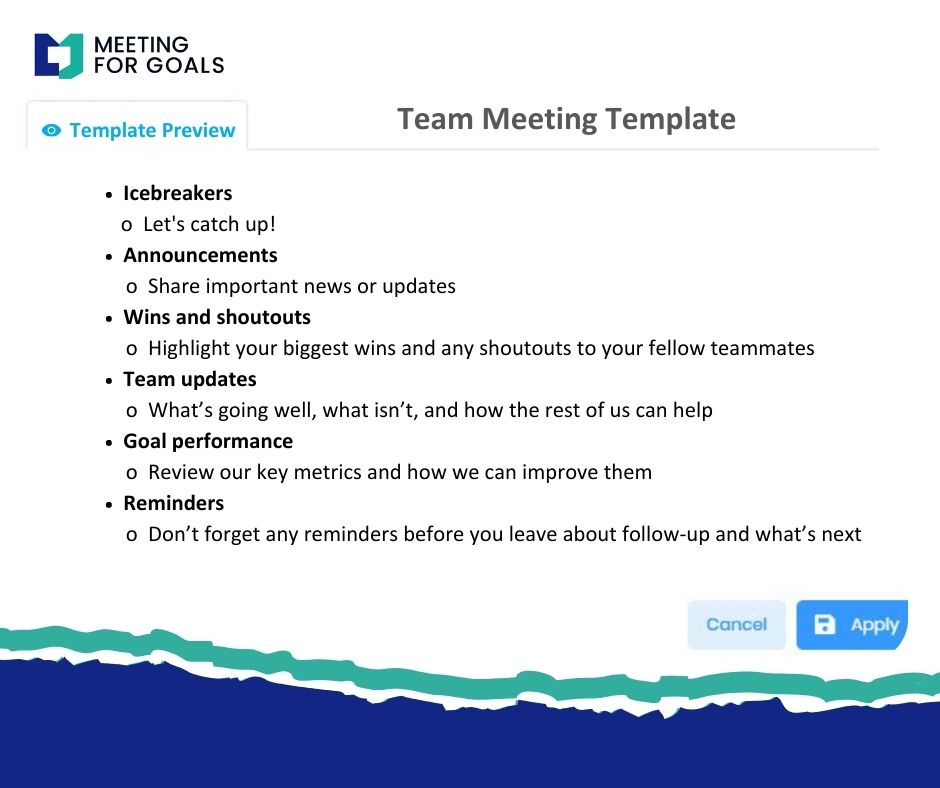
Using a meeting management platform like Meeting For Goals allows you to assign tasks directly and track them over time.
Section 3: How to Write Meeting Minutes in 3 Simple Steps
Writing great minutes doesn’t have to be complicated. Follow these three steps:
Step 1: Prepare Ahead of Time
Before the meeting, review the agenda and set up your minutes template. This helps you stay organized and ready to capture key points.
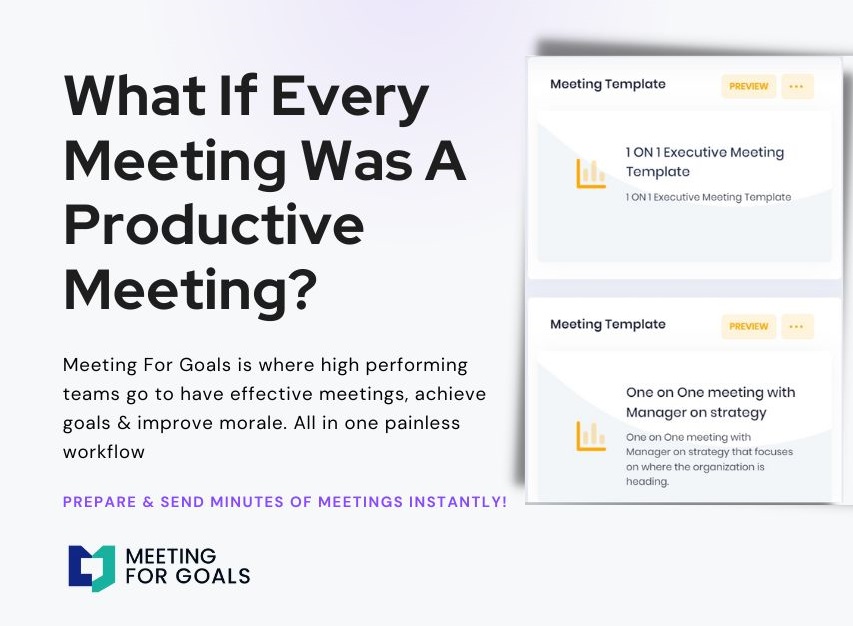
Tip: Use Meeting For Goals to generate templates based on your agenda and past meetings. It saves time and ensures consistency.
Step 2: Take Notes During the Meeting
During the meeting, focus on capturing:
- Key points of discussion
- Decisions made
- Action items with deadlines and owners
Use bullet points or shorthand to keep up with the conversation. Don’t try to write everything word-for-word. Instead, focus on the outcome of each discussion.
If you’re leading the meeting, consider assigning a note-taker or using collaborative tools so you can stay engaged.
Step 3: Finalize and Share
After the meeting—ideally within 24 hours—clean up your notes and format them into a clear, easy-to-read document. Use headers, bullet points, and plain language.
Then, distribute the minutes to all attendees and relevant stakeholders. Store them in a shared location for future reference. If you’re using Meeting For Goals, you can automatically share and store minutes within your workflows.
For more tips on improving your note-taking skills, check out this guide from MindTools: https://www.mindtools.com/a3wo118/taking-meeting-notes
Section 4: Sample Template and Completed Example
Here’s a practical template you can use to structure your meeting minutes, followed by a real-world example.
Sample Template
Meeting Title:
Date:
Time:
Location:
Facilitator:
Note-Taker:
Attendees:
Absentees:
Agenda Items:
-
[Topic Name]
- Discussion:
- Decision:
- Action Item(s):
-
[Topic Name]
- Discussion:
- Decision:
- Action Item(s):
Next Meeting Date:
Completed Example
Meeting Title: Q2 Product Launch Planning
Date: April 5, 2024
Time: 2:00 PM – 3:30 PM
Location: Zoom
Facilitator: Jane Doe
Note-Taker: John Smith
Attendees: Jane Doe (VP of Product), Mike Chen (Director of Engineering), Lisa Wong (Marketing Lead)
Absentees: None
Agenda Items:
-
Launch Timeline
- Discussion: Reviewed project milestones and dependencies.
- Decision: Launch scheduled for June 15, 2024.
- Action Item: Mike to finalize engineering milestones by April 10.
-
Marketing Strategy
- Discussion: Discussed campaign channels and budget allocation.
- Decision: Approved $100K for digital advertising.
- Action Item: Lisa to submit campaign plan by April 12.
Next Meeting Date: April 19, 2024
Want more templates like this one? Explore our full library here: https://meetingforgoals.com/meeting_templates
Section 5: Pro Tips for Writing Better Minutes
Want to take your meeting minutes from good to great? These tips will help you write minutes that are not only clear but also actionable.
Keep It Simple and Clear
Use short sentences and plain language. Avoid jargon or overly technical terms. Your goal is to make the minutes easy to read and understand.
Use Active Voice
Active voice makes your writing clearer and more direct.
Instead of saying, “The plan was discussed,” say, “Lisa presented the plan.” This helps clarify who did what and makes responsibilities obvious.
Stay Neutral
Meeting minutes should always be objective. Avoid personal opinions, emotional language, or assigning blame. Stick to the facts.
Format for Easy Reading
Use bold headers, bullet points, and consistent formatting. This helps readers quickly scan the document and find the information they need.
Use Tools to Save Time
Platforms like Meeting For Goals streamline the entire process—from creating an agenda to assigning tasks and sharing minutes. With real-time collaboration and templates, you can focus on the meeting itself instead of the paperwork.
Conclusion
Meeting minutes are one of the most powerful tools a team can use to stay aligned, drive accountability, and ensure execution. When done right, they turn conversations into action and keep everyone moving in the same direction.
Here’s a quick recap:
- Minutes document key discussions, decisions, and responsibilities.
- A structured format ensures clarity and consistency.
- Writing minutes includes preparation, active note-taking, and timely sharing.
- A sample template and example make it easy to get started.
- Pro tips like using active voice and clear formatting boost effectiveness.
Ready to transform your meetings into high-impact sessions? Sign up for Meeting For Goals and start using our powerful meeting tools today: https://app.meetingforgoals.com/TenantRegistration/Register
And don’t forget to explore our free meeting templates to save time and boost productivity: https://meetingforgoals.com/meeting_templates
Want more insights on how to run better meetings? Visit our blog at https://meetingforgoals.com
Have your own tips for writing effective meeting minutes? Share them with us—we’d love to hear from you!