
How to Write Minutes for a Meeting: A Complete Guide for High-Performing Teams
In today’s fast-paced business world, meetings are essential. But without clear documentation, even the most productive discussions can fall flat. That’s where effective meeting minutes come in. For leadership teams managing growing companies, especially Directors, VPs, and C-suite executives, knowing how to write minutes for a meeting can be the difference between progress and confusion.
In this guide, we’ll break it all down—what meeting minutes are, why they matter, and how to write them like a pro. Whether you’re looking to improve team accountability or streamline your meeting workflow, this article has you covered.
Want to skip ahead and get started with professional templates? Check out our free meeting templates to save time and stay organized.
I. Introduction
Meetings are where decisions are made, strategies are shaped, and responsibilities are handed out. But without proper documentation, it’s easy for things to fall through the cracks. That’s why meeting minutes are so important.
Why Meeting Minutes Matter
Meeting minutes aren’t just a formality—they’re a powerful tool for:
- Clarifying the purpose and outcomes of a meeting
- Holding team members accountable
- Tracking decisions and action items
- Creating a reference point for future meetings
For leadership teams in mid-sized companies (around 40–70 employees), the stakes are high. A missed task or misunderstood decision can lead to delays, missed goals, and low team morale. Well-documented minutes help prevent that.
What You’ll Learn in This Guide
We’ll walk you through:
- The purpose and benefits of meeting minutes
- How to prepare before the meeting
- Tips for writing clear, concise, and actionable minutes
- Best practices for reviewing and sharing minutes
- How Meeting For Goals can simplify the entire process
If you’re ready to turn your meetings into engines of productivity, stick around. And if you’re ready to get started with a smarter meeting workflow, sign up for Meeting For Goals today.
2 Minute Video
Watch a 2 minute demo of our meeting management software in action
II. Understanding the Purpose of Meeting Minutes
Before you can write great minutes, you need to understand what they’re really for. They’re not just notes—they’re a strategic tool.
What Are Meeting Minutes?
Meeting minutes are the written summary of a meeting. They capture key points of discussion, decisions made, and action items assigned. Think of them as a roadmap that guides your team from one meeting to the next.
Key Objectives of Meeting Minutes
- Documenting Discussions: Minutes provide a clear record of what was said. This helps avoid miscommunication and ensures everyone is on the same page.
- Recording Decisions: Whether it’s approving a budget, choosing a vendor, or setting a new policy, decisions need to be documented. This ensures accountability and transparency.
- Tracking Action Items: Every meeting should lead to action. Minutes help track who’s responsible for what and when it’s due.
Why They’re Crucial for Team Alignment
For high-performing teams, especially in growing companies, alignment is everything. When everyone understands what was discussed, what was decided, and who’s doing what, things move faster and more smoothly.
Meeting minutes help with:
- Cross-departmental transparency
- Clear role expectations
- Performance tracking
Want to take it a step further? Meeting For Goals connects your meeting minutes with team goals and KPIs, so every discussion ties back to your strategy.
Adding an Agenda
How to add an agenda instantly on Meeting For Goals
III. Preparing for the Meeting
Great minutes start before the meeting does. A little prep goes a long way.
Set the Agenda in Advance
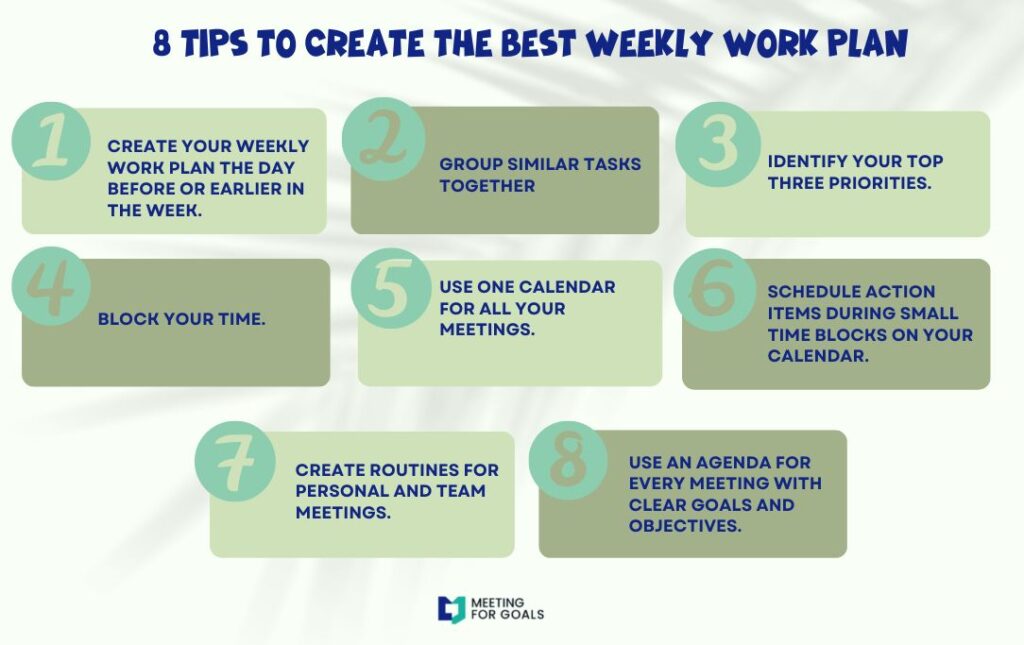
A clear agenda keeps the meeting focused and makes it easier to take notes. Share it at least 24–48 hours before the meeting so everyone can prepare.
Use Meeting For Goals to create and send agendas that align with your team’s goals. It’s a great way to stay on track and keep everyone informed.
Know the Topics and Attendees
Understanding the meeting’s context helps you capture what matters. Know who’s attending, what their roles are, and what the key discussion points will be.
This is especially important for leadership meetings, where decisions can impact multiple departments or the entire company.
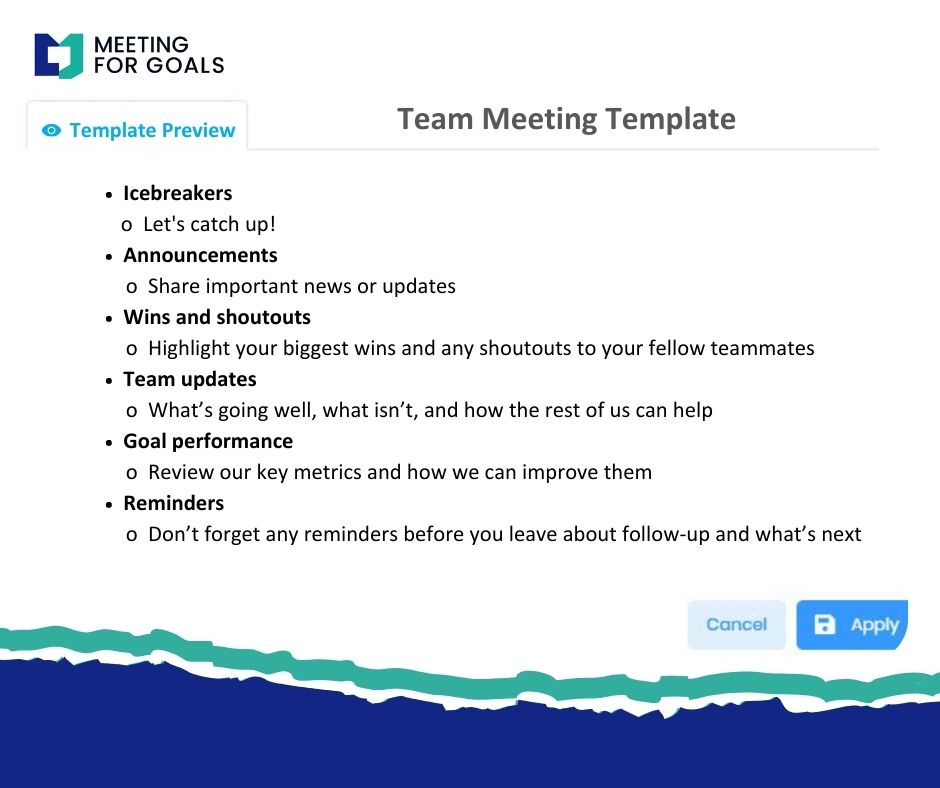
Choose a Consistent Format
Consistency is key. Use a structured format so your minutes are easy to read and reference.
Here’s a simple template:
Header Section:
- Date and time
- Meeting location or virtual link
- List of attendees and absentees
Main Body:
- Agenda items
- Summary of discussions
- Key decisions
- Action items with assigned owners and deadlines
Need a ready-to-use format? Browse our free meeting templates to get started fast.
IV. Writing Effective Meeting Minutes
Now that the meeting has started, it’s time to capture the magic. Let’s talk about how to take notes that actually drive results.
Capture Key Information
Don’t try to write down everything. Focus on:
- Main discussion points
- Differing viewpoints
- Final conclusions
Use bullet points to keep things clear and easy to scan. This is especially helpful when your audience includes busy executives.
Meeting For Goals has built-in note-taking tools that sync with your agenda, so you never miss a beat.
What to Include in Your Minutes
- Attendees and Absentees: This sets the context for who was involved in the discussion and who needs to be updated.
- Agenda Items Discussed: Stick to the order of the agenda, even if the conversation jumps around. This makes it easier to follow later.
- Decisions Made: Be clear about what was decided, who made the decision, and what the next steps are.
- Action Items: Every task should include:
- A clear description
- The person responsible
- A due date or deadline
Keep the Language Clear and Neutral
Avoid emotional or subjective language. Your goal is to be professional and objective.
For example:
- Instead of: “Tom was annoyed about the new deadline.”
- Use: “Tom expressed concerns about the feasibility of the updated deadline.”
Meeting For Goals offers AI-powered editing tools to help you polish your notes before sharing them.
V. Reviewing and Distributing Minutes
You’ve written your minutes—now make sure they’re accurate and get to the right people.
Proofread for Accuracy
Double-check:
- Names, dates, and figures
- That all action items are clearly defined
- That there are no typos or confusing language
With Meeting For Goals, you can assign someone to review the minutes before they’re sent out.
Format for Easy Reading
Use:
- Headings and subheadings
- Bullet points
- Bold text to highlight key items
Distribute in a format that’s easy to access—like a PDF or shared link through Meeting For Goals.
Timing is Everything
Send out your minutes within 24–48 hours. This keeps the information fresh and gives your team time to act on their tasks.
Don’t Let Minutes Collect Dust
Use your minutes to:
- Track progress on action items
- Prepare for the next meeting
- Hold people accountable
Meeting For Goals automates follow-ups by sending reminders and tracking task completion. No more chasing people down.
VI. Common Mistakes to Avoid
Even seasoned professionals can slip up. Here are a few common mistakes to watch out for:
- Writing a Transcript: Minutes aren’t a word-for-word record. Summarize the key points.
- Skipping Action Items: Every meeting should result in next steps. If your minutes don’t include them, they’re incomplete.
- Using Vague Language: Be specific. Instead of “Discussed marketing,” write “Reviewed Q3 marketing strategy and decided to allocate $10K to paid ads.”
- Delaying Distribution: The longer you wait to send the minutes, the less useful they become.
Want more tips on what not to do? This article from Harvard Business Review explains how poor meeting habits can kill productivity.
VII. Real-World Example: Leadership Team Meeting
Let’s say you’re leading a weekly leadership sync.
Agenda:
- Review OKRs
- Discuss hiring plan
- Marketing budget update
Key Decisions:
- Extend deadline for Q2 OKR #3 by two weeks
- Approve hiring of two new engineers
- Allocate $15K more to paid social ads
Action Items:
- Sarah to update OKR dashboard by Friday
- John to start recruiting process for engineers by Monday
- Maria to revise marketing budget and present next week
With Meeting For Goals, you can capture and assign all of this in real-time, then send out polished minutes with a click.
VIII. Conclusion
Meeting minutes are the secret weapon of effective teams. They turn conversations into action and ensure everyone knows what to do next.
Let’s Recap
Well-written minutes:
- Document key discussions and decisions
- Assign clear responsibilities
- Improve communication and alignment
- Help teams stay accountable
If you’re still using Word docs or sticky notes to manage meetings, it’s time for an upgrade. Meeting For Goals gives you everything you need to run productive, goal-driven meetings—agendas, notes, task tracking, and more.
Ready to Transform Your Meetings?
Start your free trial today and see how Meeting For Goals can help your team stay aligned and achieve more.
👉 Sign up now at https://app.meetingforgoals.com/TenantRegistration/Register
Or explore our full library of free meeting templates to get started faster.
External Resources for Further Reading
- Learn more about effective meeting practices from the American Management Association
- Explore this guide from Atlassian on how to run better meetings
By following these tips and leveraging tools like Meeting For Goals, your meetings can become a driver of growth, clarity, and execution.
Word Count: Approx. 2,100 words