
Meetings are the heartbeat of any organization—but without structure, they can quickly turn into time-wasting, energy-draining sessions. For high-performing teams, especially in companies with 40–70 employees, every meeting needs to be intentional, focused, and outcome-driven.
Meetings are the heartbeat of any organization—but without structure, they can quickly turn into time-wasting, energy-draining sessions. For high-performing teams, especially in companies with 40–70 employees, every meeting needs to be intentional, focused, and outcome-driven.
That’s where a solid meeting agenda template comes in. By using the right structure—and the right tools—you can turn meetings into powerful engines of productivity and alignment. In this guide, we’ll walk you through a proven agenda meeting template that helps executives and team leaders lead with clarity, confidence, and results.
Want to skip ahead and start building better meetings? Try our free meeting templates or create your account on Meeting For Goals today.
Agenda Meeting Template: Elevate Your Team’s Productivity
Section 1: Why Structured Meetings Matter
Let’s face it—most professionals have sat through meetings that felt like a waste of time. In fact, a study by Harvard Business Review found that 71% of senior managers think meetings are unproductive and inefficient.
For growing companies, especially those with 40–70 employees, this inefficiency can be costly. At this stage, teams need to move fast, stay aligned, and make decisions without getting bogged down in endless discussions.
That’s where a structured meeting agenda becomes a game-changer.
A meeting agenda isn’t just a list of topics. It’s a strategic tool that:
- Sets expectations
- Drives focus
- Ensures accountability
- Aligns discussions with business goals
At Meeting For Goals, we help companies run shorter, smarter meetings that are directly tied to their business objectives. Our platform simplifies the entire process—from creating agendas to tracking action items after the meeting ends.
Whether you’re a Director, VP, or C-suite executive, this guide is for you. Let’s explore how to build a meeting agenda that actually moves the needle.
2 Minute Video
Watch a 2 minute demo of our meeting management software in action
Section 2: The Real Purpose of a Meeting Agenda
Before we dive into templates and tools, let’s talk about why agendas matter in the first place.
A meeting agenda serves as a roadmap. It tells everyone where the meeting is headed, what’s expected, and how it connects to the bigger picture.
Here’s what a great agenda does:
- Keeps the Meeting on Track
When there’s a clear structure and time limit for each topic, meetings stay focused. No more going off on tangents or running out of time before the important stuff gets discussed. - Boosts Engagement
When participants know what’s coming and what they need to contribute, they show up more prepared and engaged. This turns passive attendees into active contributors. - Promotes Accountability
A good agenda assigns responsibilities. Everyone knows who’s leading each topic and who’s responsible for follow-ups. This eliminates confusion and drives action. - Aligns with Company Goals
This one’s big. Too often, meetings become disconnected from strategic objectives. But when you tie each agenda item to a company goal—like an OKR—it becomes a focused, goal-driven conversation.
For example, instead of saying “Marketing Update,” say “Review Q2 campaign performance against lead generation OKR.” It’s a small shift that makes a big difference.
At Meeting For Goals, we make it easy to link agenda items directly to your company’s OKRs. This ensures that every meeting supports your broader strategy.
Want to learn more about how OKRs can drive alignment? Check out this article from WhatMatters.com on the power of OKRs in business.
Adding an Agenda
How to add an agenda instantly on Meeting For Goals
Section 3: What to Include in an Effective Agenda
Creating a great agenda isn’t just about filling in a template. It’s about designing a conversation that leads to action.
Here are the key components every effective agenda should include:
- Meeting Title and Purpose
Start with a clear, specific title. Instead of “Weekly Sync,” try “Q2 Sales Strategy Alignment Meeting.” Then briefly explain why the meeting is happening. For example: “To align sales initiatives with Q2 revenue targets.” - Date, Time, and Location
Include all the logistics. If it’s a remote meeting, add the video link. If it’s hybrid, specify who should attend in person. - Agenda Topics with Time Estimates
Break the meeting into sections with time blocks. This keeps things moving and helps prioritize important discussions.
Example:
- 10:00–10:10 AM: Review Q1 sales performance (John)
- 10:10–10:25 AM: Discuss Q2 pipeline and forecast (Sarah)
- 10:25–10:35 AM: Identify roadblocks and support needs (Team)
- Assigned Roles
Assign roles to keep the meeting organized:
- Facilitator: Runs the meeting
- Note-Taker: Captures key points and action items
- Timekeeper: Keeps everyone on schedule
With Meeting For Goals, you can assign and track these roles directly in the platform.
- Relevant Documents and Data
Attach any reports, dashboards, or documents participants need to review. This helps everyone come prepared and saves time during the meeting. - Expected Outcomes
Be clear about what you want to achieve. Whether it’s a decision, a plan, or a list of action items—spell it out. - Follow-Up and Action Items
Reserve time at the end to review decisions and assign next steps. This ensures accountability and keeps the momentum going.
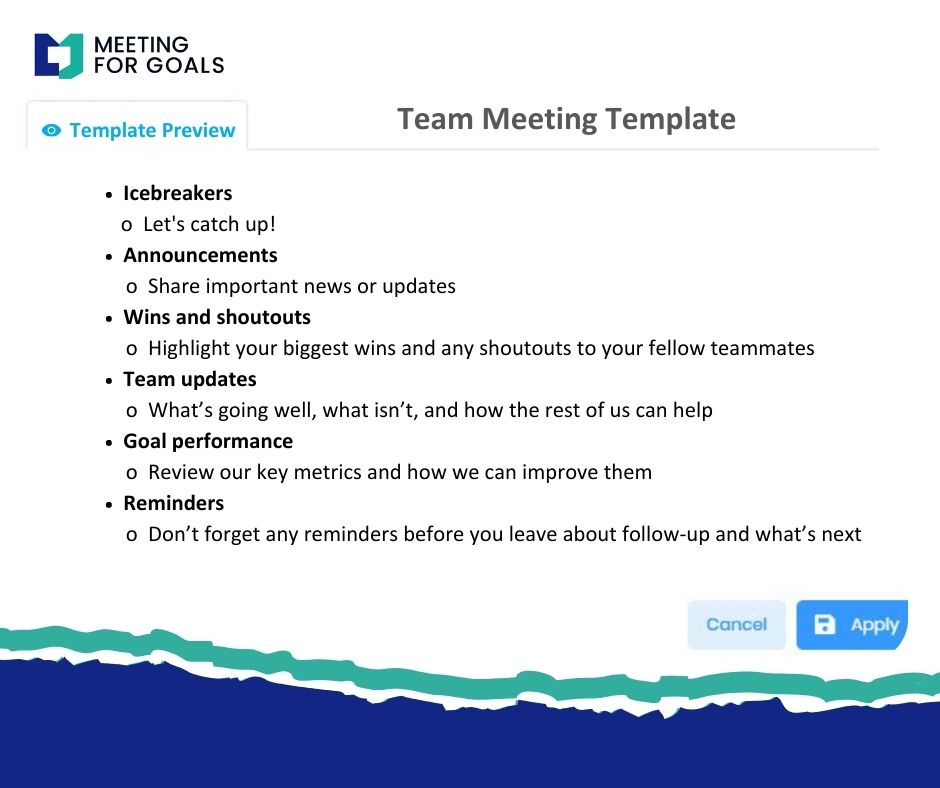
Want to see real examples? Explore our free meeting templates and start building your own agenda today.
Section 4: How to Prepare Participants Before the Meeting
Even the best agenda won’t help if people show up unprepared. That’s why pre-meeting prep is so important.
Here’s how to make sure everyone comes ready to contribute:
- Share the Agenda Early
Send the agenda at least 24–48 hours before the meeting. This gives participants time to review and prepare. With Meeting For Goals, you can share agendas automatically and update them in real-time. - Encourage Pre-Reading and Input
If the meeting includes data or reports, ask attendees to review them beforehand. You can also invite them to suggest agenda items or flag issues they want to discuss.
This creates a sense of ownership and makes meetings more collaborative.
- Assign Responsibilities Ahead of Time
If someone is presenting or leading a discussion, let them know in advance. Give them clear instructions on what to prepare.
For example: “Sarah, please prepare a 5-minute update on the Q2 pipeline and bring the latest CRM report.”
- Set Expectations for Engagement
Make it clear that meetings are not spectator events. Encourage participants to bring questions, ideas, and solutions. This can be reinforced in the agenda itself with prompts like “Come prepared to discuss hiring needs” or “Bring one idea for improving onboarding.” - Use Pre-Meeting Checklists
Meeting For Goals lets you create checklists for each participant. These might include tasks like:
- Review Q1 performance dashboard
- Submit agenda suggestions
- Update project status
This keeps everyone aligned and accountable before the meeting even starts.
Section 5: How Technology Can Supercharge Your Meetings
In a fast-moving business world, static agenda documents just don’t cut it anymore. Technology can make your meetings smarter, faster, and more effective.
That’s where Meeting For Goals comes in.
Our meeting management software is built for teams that want to get more done—with less time in meetings. Here’s how we help:
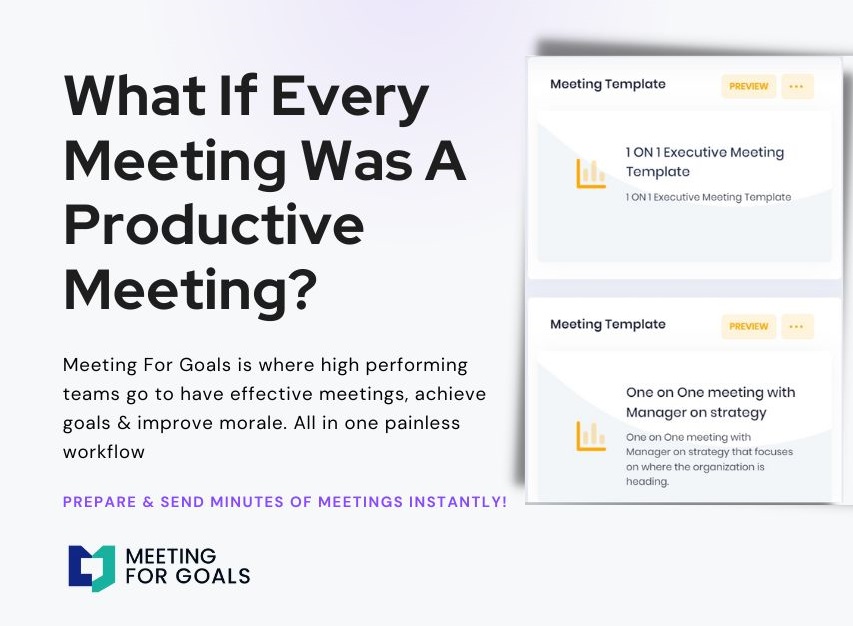
- Easy Agenda Creation
Drag and drop topics, assign time slots, and link documents in seconds. Use our pre-built templates or create your own. - Real-Time Collaboration
Team members can edit agendas together, suggest topics, and leave comments—all before the meeting starts. - Seamless Integration
Meeting For Goals connects with your favorite tools—like Google Calendar, Microsoft Teams, Slack, and project management systems. Everything stays in sync, and nothing falls through the cracks. - Role Assignments and Reminders
Assign roles like facilitator or note-taker right in the platform. Automated reminders make sure everyone knows what they’re responsible for. - Live Agenda Tracking
During the meeting, track progress in real-time. Mark topics as complete, adjust time allocations, and capture decisions on the fly. - Post-Meeting Follow-Up
After the meeting, send a summary with notes and action items. Everything is automatically tracked inside the platform, so nothing gets lost.
Want to see how it works? Sign up for Meeting For Goals and start running smarter meetings today.
Section 6: Wrapping It All Up
Meetings don’t have to be a drain on your team’s time and energy. With the right agenda—and the right tools—you can turn them into high-impact sessions that drive results.
Here’s what you’ll get by using the agenda meeting template we’ve outlined:
- Focused, goal-driven meetings
- Better participation and engagement
- Clear accountability and follow-through
- Alignment with strategic business goals
And the best part? You don’t have to do it alone.
Meeting For Goals is here to help you run meetings that matter. From agenda creation to post-meeting follow-up, our platform takes the guesswork out of meeting management.
Ready to transform your meetings into strategic wins? Sign up today and get started in minutes.
Want to explore more tools and templates? Visit our meeting templates hub for free resources.
Let your meetings work for you—not against you.
Additional Resources:
- Learn more about effective meeting strategies in this Forbes article on how to make meetings more productive.
- Discover how Google runs efficient meetings by applying the 70-20-10 rule for time management.
Start leading better meetings now with Meeting For Goals. Your team—and your calendar—will thank you.