
Sprint Project Management in Print: How Effective Meetings Drive Success
In the fast-paced world of print project management, where deadlines are tight and precision is crucial, meetings can either be your secret weapon or your biggest time-waster. High-performing teams understand that great execution starts with great communication. That’s where Meeting For Goals steps in. This powerful meeting management software helps print teams align meetings with project milestones, boost accountability, and deliver results—faster. In this article, we’ll explore how effective meetings, supported by the right tools, can transform sprint project management in the print industry.
Introduction
Print project management isn’t just about ink and paper—it’s about timing, coordination, and delivering high-quality outcomes under pressure. Whether you’re managing marketing brochures, packaging runs, or large-scale commercial printing, the margin for error is slim.
For mid-sized companies with 40–70 employees, especially those led by Directors, VPs, or C-level executives, the stakes are even higher. Every inefficient meeting is a lost opportunity to move a project forward.
That’s why effective meetings aren’t optional—they’re essential. They keep teams aligned, decisions transparent, and progress on track. But not all meetings are created equal. Without structure and focus, meetings can spiral into time-wasting sessions with no clear outcomes.
That’s where Meeting For Goals comes in. This meeting management platform helps teams run smarter, more focused meetings that directly support project goals. From setting clear agendas to tracking follow-ups, Meeting For Goals turns meetings into strategic tools for success.
If you’re ready to take your print project meetings to the next level, start by exploring our free meeting templates at Meeting Templates or sign up at Registration.
2 Minute Video
Watch a 2 minute demo of our meeting management software in action
Section 1: Understanding Print Project Management
Managing a print project means handling a complex web of tasks—from initial concept to final delivery. Unlike digital-only projects, print involves physical materials, external vendors, and tight production schedules.
- Planning: Define the project scope, allocate resources, and set a timeline.
- Execution: Coordinate design, prepress, printing, and finishing.
- Monitoring: Track progress, manage changes, and ensure quality.
- Completion: Deliver the final product, get approvals, and evaluate performance.
What makes print projects especially challenging is the need to juggle multiple teams—creative, production, sales, and client services—often across different locations. A single miscommunication can delay a job or result in costly errors.
That’s why many teams are adopting sprint project management. This approach, inspired by Agile methodologies, breaks projects into short, focused sprints—usually one to two weeks long. It allows teams to iterate quickly, respond to changes, and keep momentum high.
But sprints only work when communication is tight and everyone stays aligned. That’s where structured, purpose-driven meetings come in. They ensure that updates are shared, blockers are addressed, and everyone knows what’s next.
Meeting For Goals helps teams manage this complexity by offering a centralized space to run meetings tied directly to sprint goals. With features like agenda planning, role assignments, and outcome tracking, it ensures meetings are productive, not just performative.
Looking for more ways to streamline your print project workflow? Check out this guide from Smartsheet on print project planning best practices.
Adding an Agenda
How to add an agenda instantly on Meeting For Goals
Section 2: The Role of Effective Meetings in Print Projects
In sprint-based print project management, meetings are the engine that keeps everything running smoothly. They’re where teams align, problems are solved, and decisions are made.
But when meetings lack structure, they can become a major bottleneck. People walk away confused, action items fall through the cracks, and momentum stalls.
Here’s what effective meetings should accomplish:
- Coordination: Bring together cross-functional teams to align on goals and progress.
- Progress Tracking: Identify what’s done, what’s blocked, and what’s coming next.
- Decision-Making: Approve designs, shift resources, or adjust timelines on the spot.
- Accountability: Clarify who’s doing what by when.
To get the most out of meetings, follow these best practices:
- Set a Clear Agenda: Share it in advance so everyone arrives prepared.
- Stick to Timelines: Start and end on time. Respect everyone’s schedule.
- Encourage Participation: Diverse input leads to better decisions.
- Document Outcomes: Capture action items and decisions for follow-up.
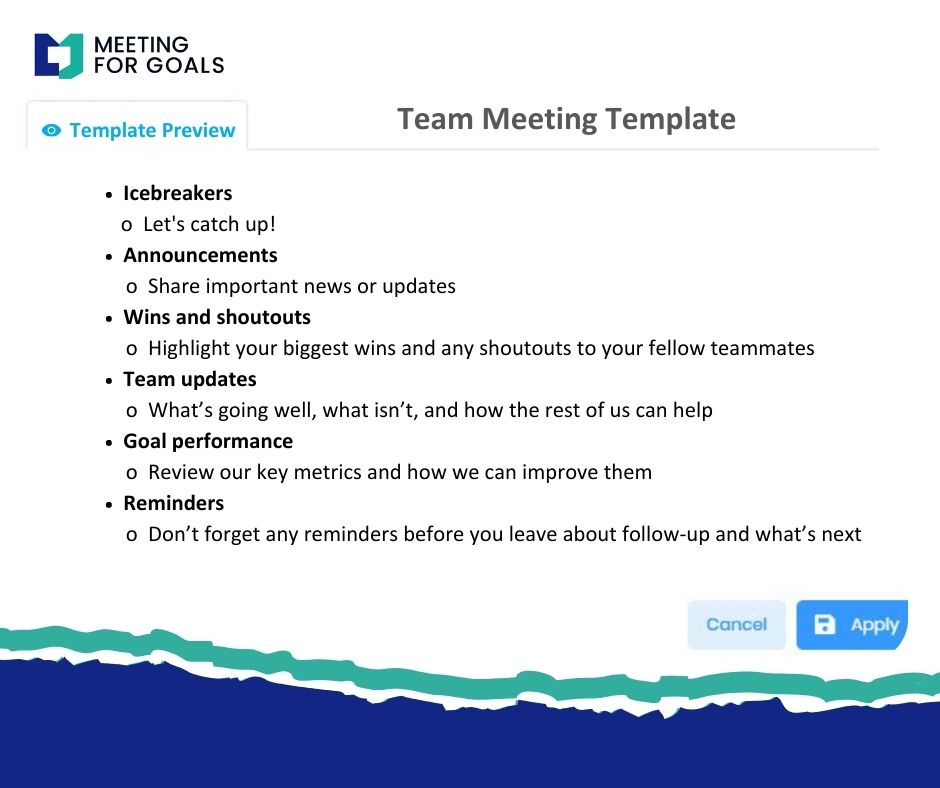
Meeting For Goals turns these best practices into repeatable habits. You can create structured agendas, assign meeting roles, and track outcomes—all in one place.
For example, a sprint planning meeting might include reviewing the previous sprint, identifying new deliverables, and assigning tasks. With Meeting For Goals, you can build a recurring template for this, ensuring consistency and saving time.
This kind of meeting discipline helps print teams stay focused and efficient. Instead of getting bogged down in endless updates, they can quickly align and get back to work—with clear priorities and accountability.
Want to build better sprint meetings? Try our ready-to-use templates at Meeting Templates.
Section 3: Tools and Techniques for Streamlined Communication
In print project management, communication is everything. With so many moving parts—design files, production timelines, client feedback—teams need to stay in sync.
Here are some tools that help streamline communication:
- Project Management Platforms: Tools like Trello, Asana, or Monday.com help visualize tasks and deadlines.
- File Sharing Services: Dropbox, Google Drive, and WeTransfer make it easy to share large design files.
- Messaging Apps: Slack and Microsoft Teams enable real-time updates and quick check-ins.
But here’s the catch: these tools don’t solve the meeting problem. They help with task tracking and file sharing, but not with running productive meetings.
That’s where Meeting For Goals fills the gap. It’s the only tool built specifically to make meetings more effective by combining planning, communication, and follow-up.
Here’s how it works:
- Structured Agendas: Plan ahead and keep meetings focused.
- Role Assignment: Assign facilitators, note-takers, and timekeepers.
- Decision Tracking: Record what was decided and who’s responsible.
- Goal Alignment: Tie each meeting to a specific sprint or business goal.
Even better, Meeting For Goals integrates with your existing tools. Meeting notes and action items can sync with project management platforms, so nothing falls through the cracks.
Techniques like 15-minute standups or weekly sprint reviews become more impactful when supported by Meeting For Goals. Instead of wasting time rehashing old issues, teams can focus on moving forward.
Executives love this level of visibility. They can monitor progress without micromanaging, identify bottlenecks early, and ensure everyone is aligned.
For more on how to improve team communication, check out this article from Harvard Business Review.
Section 4: Meeting Strategies for Successful Project Execution
To execute a print project successfully, your meeting strategy needs to be just as sharp as your production plan. Poorly run meetings lead to confusion, delays, and costly mistakes.
But when done right, meetings become a powerful tool for execution. Here’s how to make that happen:
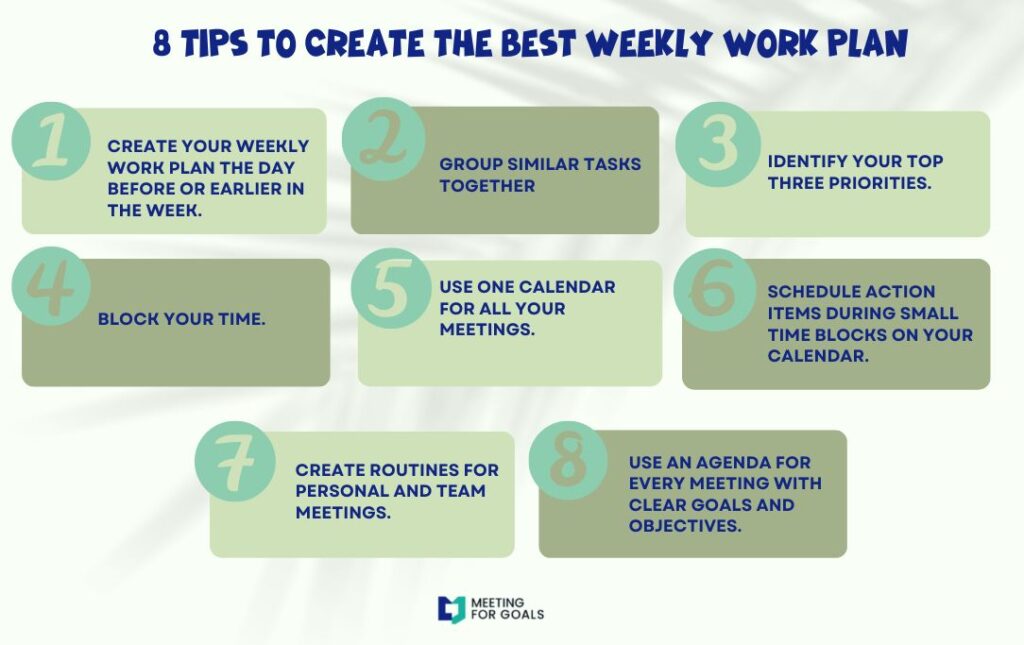
- Align Meetings with Milestones: Tie meetings directly to project phases—planning, proofing, production, and delivery.
- Define Roles Clearly: Assign a facilitator, timekeeper, and note-taker to keep things running smoothly.
- Use Time Blocks: Allocate time for each agenda item to avoid overruns.
- Incorporate Visuals: Use mockups, charts, or Kanban boards to clarify complex info.
- End with Action: Summarize decisions, assign tasks, and set deadlines before wrapping up.
Meeting For Goals makes this easy. You can create templates for each type of meeting—like sprint retrospectives or production reviews. These templates ensure consistency and save time.
The platform also offers smart reminders and notifications. No more missed meetings or forgotten tasks. Executives can track meeting effectiveness, task completion, and team alignment through intuitive dashboards.
This level of structure transforms meetings from a time drain into a strategic asset. Teams spend less time talking and more time doing.
If your team is juggling multiple print projects, this consistency is a game-changer. Everyone follows the same process, no matter the department or location.
Ready to bring structure to your sprint meetings? Sign up now at Registration.
Section 5: Case Studies: Successful Print Projects through Effective Meetings
Let’s take a look at how real companies have used Meeting For Goals to improve their print project outcomes.
- Case Study 1: Marketing Agency
A 60-person agency handling high-volume print campaigns was struggling with missed deadlines and client complaints. After adopting Meeting For Goals, they revamped their sprint planning and review meetings. Each meeting had a clear agenda, defined roles, and tracked follow-ups.
Result: Project turnaround time dropped by 25%, and client satisfaction scores rose dramatically.
- Case Study 2: Commercial Print Shop
A commercial printer with 50 employees needed better coordination between sales, design, and production. They introduced weekly cross-departmental check-ins using Meeting For Goals. The software helped them track decisions, assign tasks, and follow up effectively.
Result: Internal communication improved, production errors fell by 30%, and rework costs dropped significantly.
- Case Study 3: Packaging Company
A packaging company with 70 employees used Meeting For Goals to overhaul their sprint retrospectives. By using structured templates and aligning meetings with company goals, they identified recurring issues and fixed them.
Result: Sprint success rate improved by 40%, and employee morale increased due to reduced meeting fatigue and clearer expectations.
These stories show that effective meetings aren’t just about talking—they’re about driving real results. With Meeting For Goals, teams improved communication, reduced costs, and delivered better outcomes.
Want to see similar results in your organization? Explore our platform at Meeting For Goals.
Conclusion
Sprint project management in the print world is a high-stakes game. Success depends on more than just getting the job done—it requires clear communication, team alignment, and consistent execution.
At the center of all this? Meetings.
When meetings are poorly run, they waste time and drain energy. But when they’re structured and goal-driven, they become your most powerful tool for success.
Meeting For Goals helps print teams run better meetings that actually move projects forward. From structured agendas to smart follow-ups, it brings clarity, accountability, and momentum to every discussion.
If you’re a leader managing teams of 40 to 70 people, this platform is built for you. It’s not just about better meetings—it’s about better outcomes.
Ready to transform your sprint meetings? Sign up today at Registration and start making every meeting count.
And don’t forget to explore our free meeting templates at Meeting Templates to get started faster. For more resources on how to improve your project management, visit Meeting For Goals.